
TikTok Cleaner Extension & Repost Remover Extension
ClearTok is a free TikTok cleaner extension and repost remover extension for Chrome and Edge. Remove TikTok reposts in bulk, keep recent reposts if you want, and clean your profile without sharing your password.
Local TikTok repost remover extension. Not affiliated with TikTok.
On mobile? Use the cleaner app


Bulk repost remover extension
TikTok has no native "Clean Reposts" button. The ClearTok repost remover extension automates the official Share → Remove Repost action so a profile with thousands of reposts can be cleared in one sitting.
Keep recent reposts while cleaning
Use the built-in filter to skip your most recent reposts (e.g., the last 7 or 30 days) so the cleaner only touches the old shares you want gone.
Live progress, exportable log
Watch each repost get cleared in real time and download a CSV of every URL the extension removed — handy if you ever want to re-share something.
See the TikTok cleaner extension in action
ClearTok follows the same visible TikTok flow you would use manually: open the reposted video, click Share, then click Remove Repost with steady pacing.
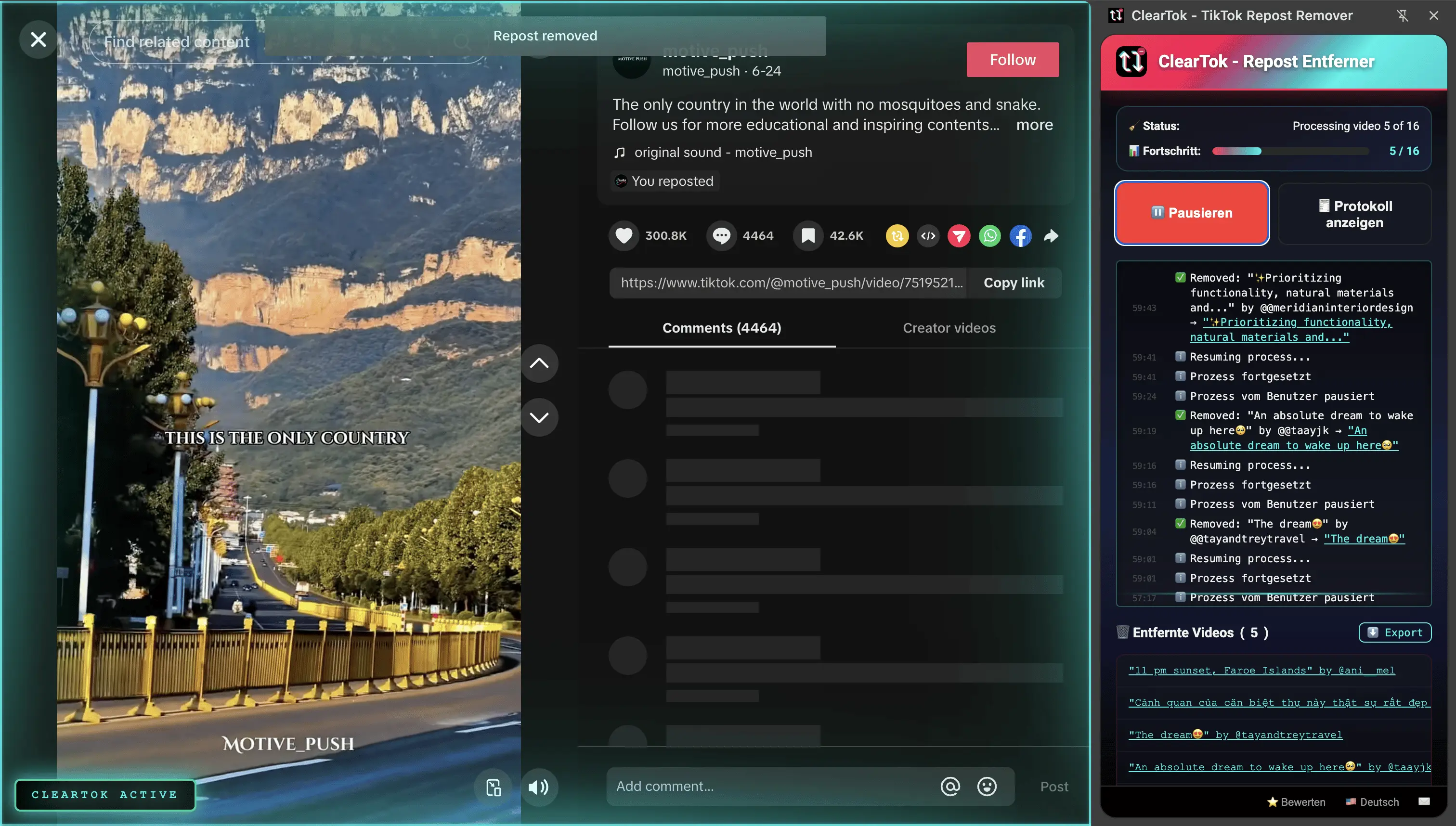
What happens during a cleanup
The repost remover extension runs inside your signed-in TikTok.com session. It does not ask for your TikTok username, password, or a separate cloud login.
- Opens reposts from your visible Reposts tab
- Clicks TikTok's own Share → Remove Repost controls
- Spaces actions in batches to avoid hammering TikTok
- Keeps a cleanup log so removed repost URLs can be exported
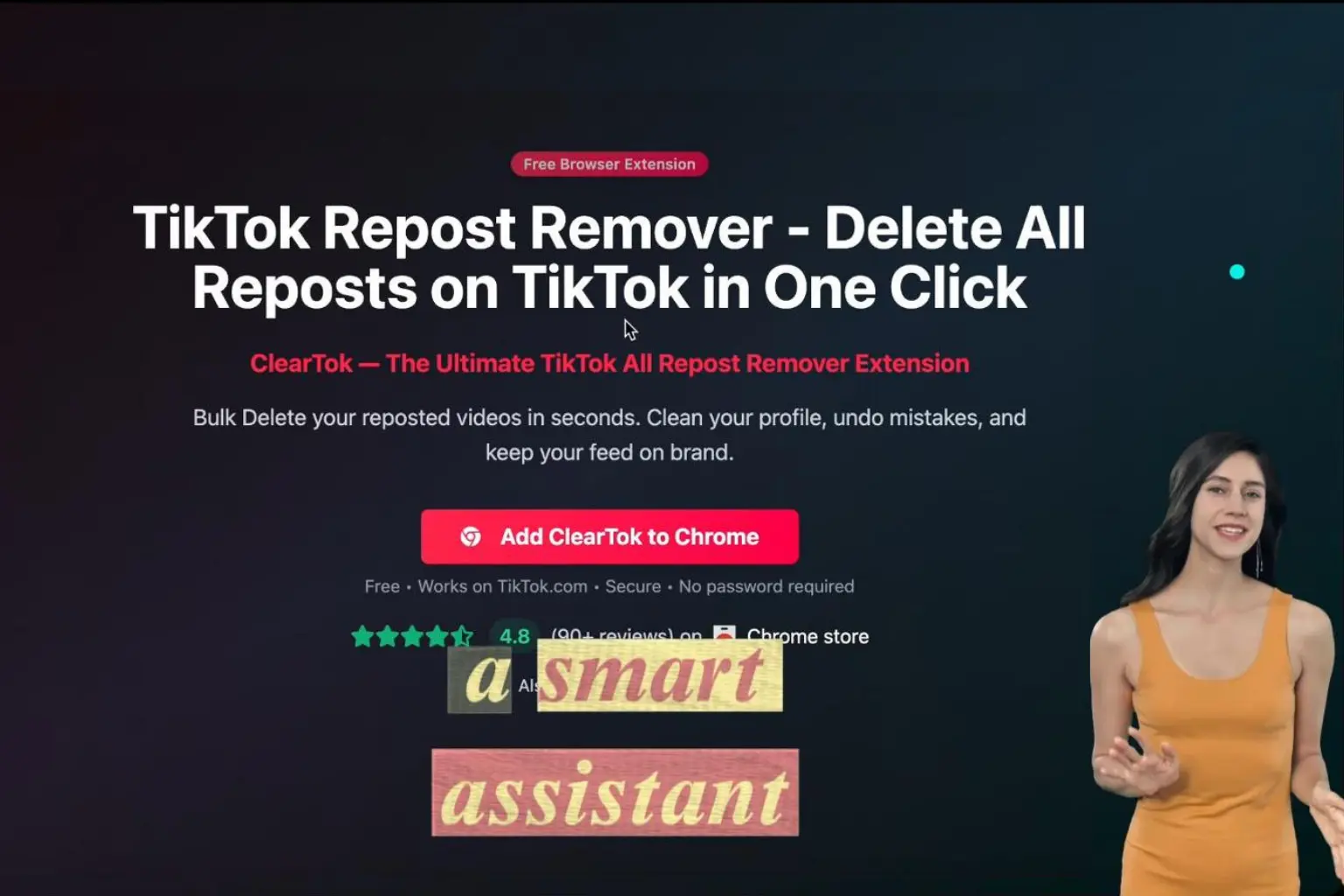
Install once, run from your browser
Add ClearTok from the Chrome Web Store or Edge Add-ons, open TikTok, then start cleaning from your own browser session.
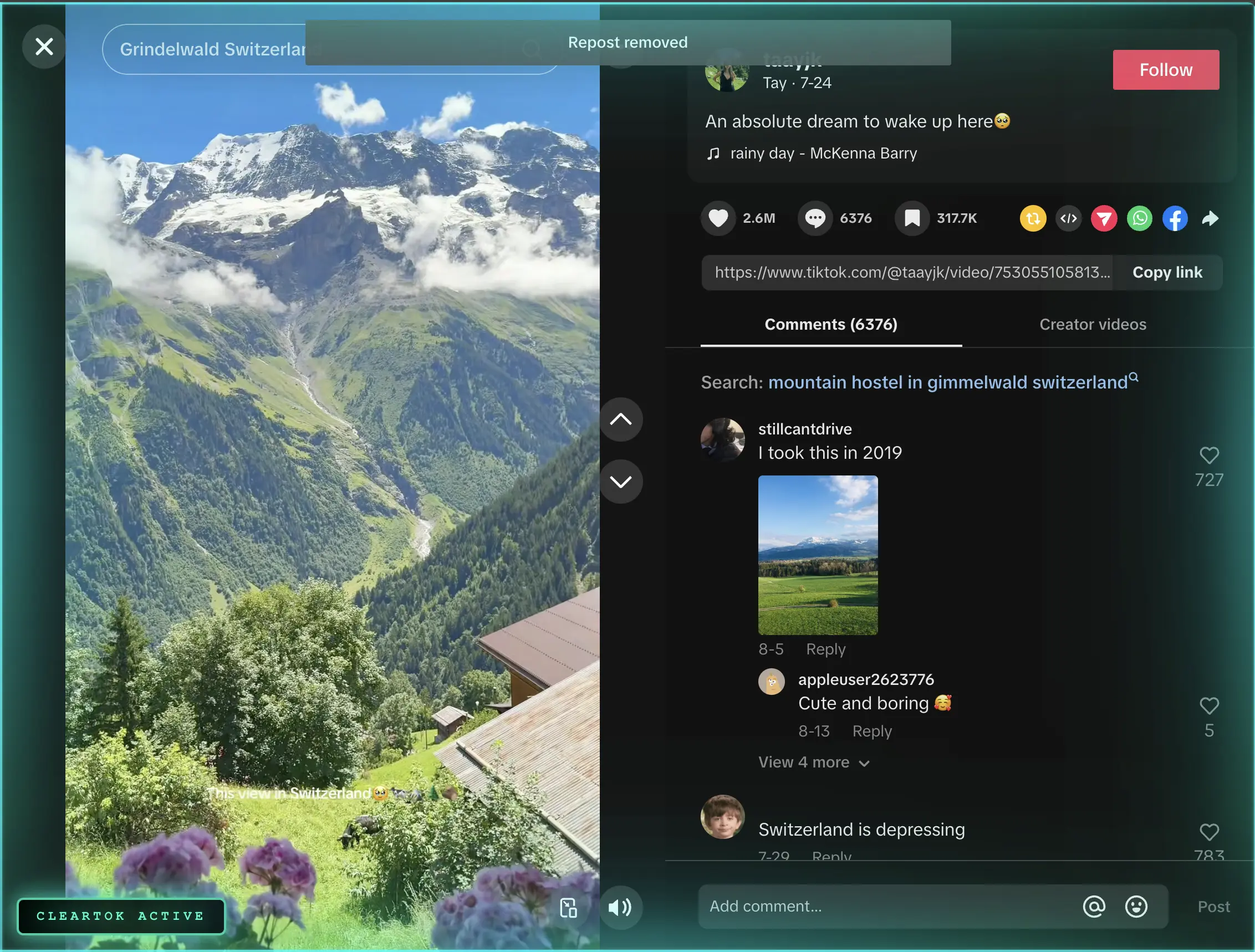
Track progress as reposts are removed
Watch each repost clear in real time, pause when TikTok slows down, and export the removed URLs after the run.
How the TikTok cleaner extension removes reposts
Three clicks from install to a clean profile.
Install the TikTok cleaner extension
Add ClearTok to Chrome or Edge from the official store. The repost remover extension installs in seconds and requires no account.
Open TikTok and pick a filter
Go to TikTok.com → your Profile → Reposts (↻). Open ClearTok and choose whether to clean everything or keep recent reposts.
Start the cleanup
Click Start. ClearTok paces the clicks to stay safely under TikTok's rate limits, and you can keep working in other tabs while it runs.
How to install the TikTok cleaner extension
Install ClearTok from the official Chrome Web Store or Microsoft Edge Add-ons listing, then connect your signed-in TikTok session. Every step below is shown with a real screenshot.
Install on Google Chrome
Add the extension from the official Chrome Web Store listing — no account needed for the install itself.
- 1
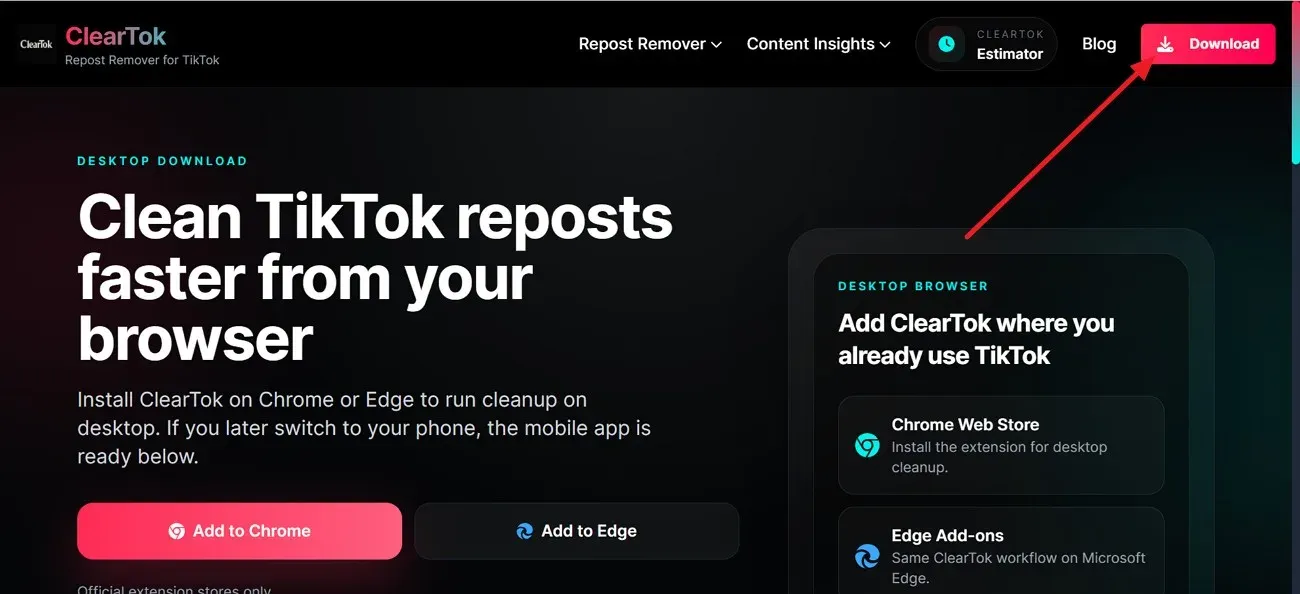
Open the ClearTok download page
In Chrome, go to cleartok.io and click the Download button in the top-right corner, or open the Chrome Web Store listing directly.
- 2
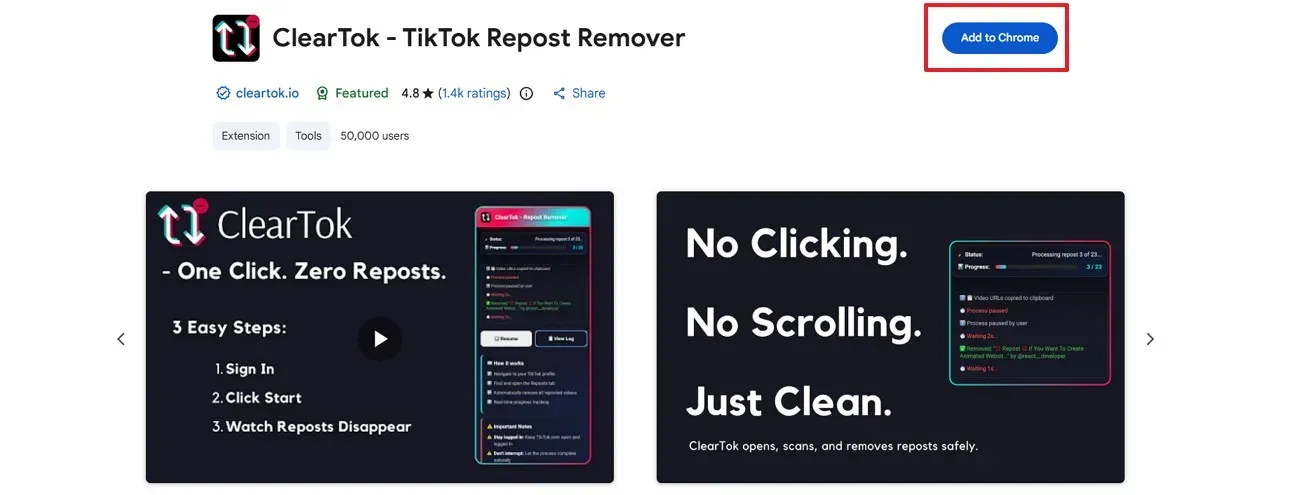
Click Add to Chrome
On the Chrome Web Store page, check that the listing is “ClearTok Repost Remover”, then click Add to Chrome to begin the install.
- 3
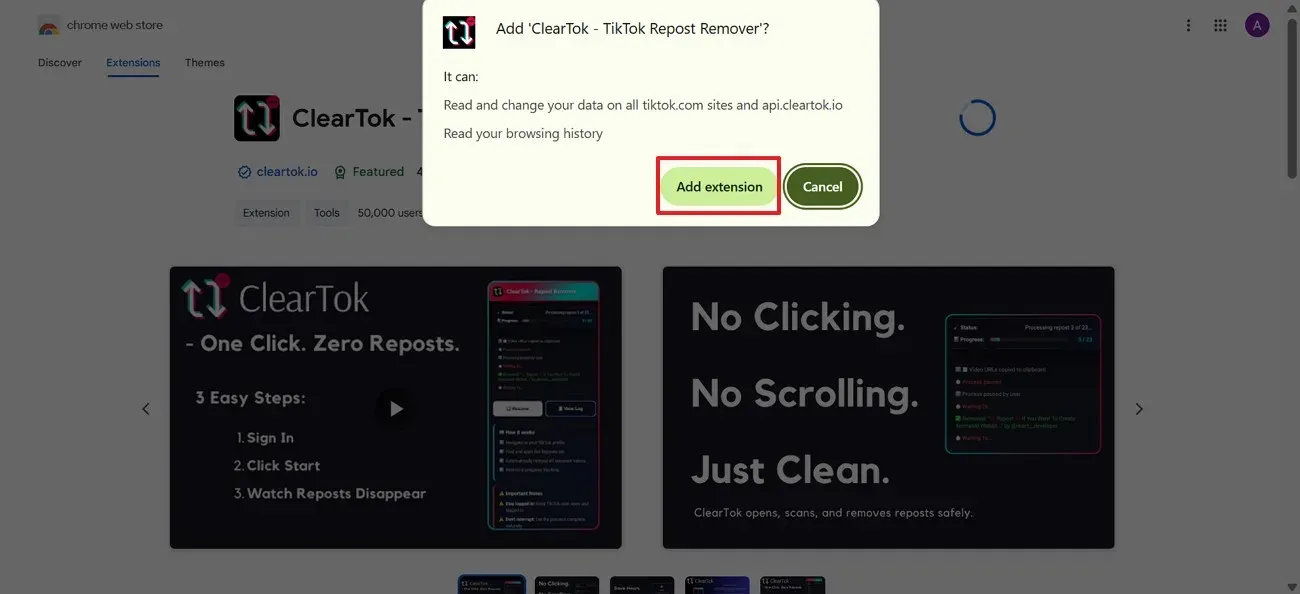
Approve the permission prompt
Chrome shows what the extension can access before installing. Review the prompt, then select Add extension.
- 4
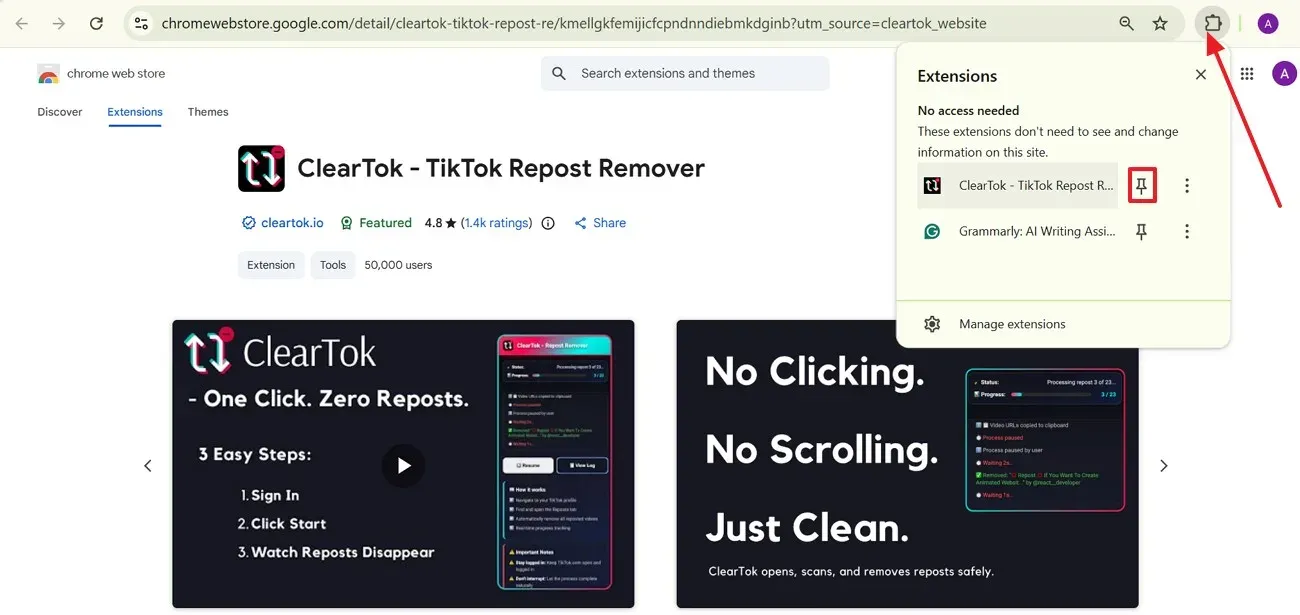
Pin ClearTok next to the address bar
Click the puzzle-piece extensions icon, find ClearTok, and press the pin icon so the cleaner stays visible while you use TikTok.
Install on Microsoft Edge
Edge users install from Microsoft Edge Add-ons — the extension and privacy model are the same as on Chrome.
- 1
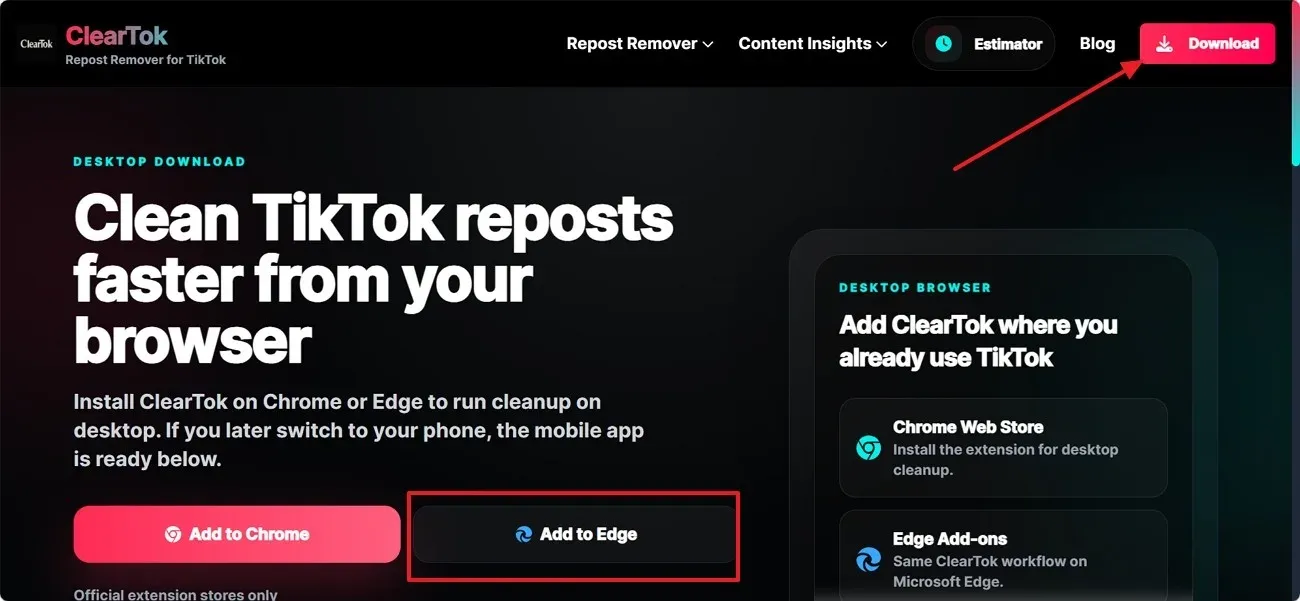
Choose the Edge install option
Open the ClearTok download page in Microsoft Edge and choose Add to Edge in the desktop browser section.
- 2
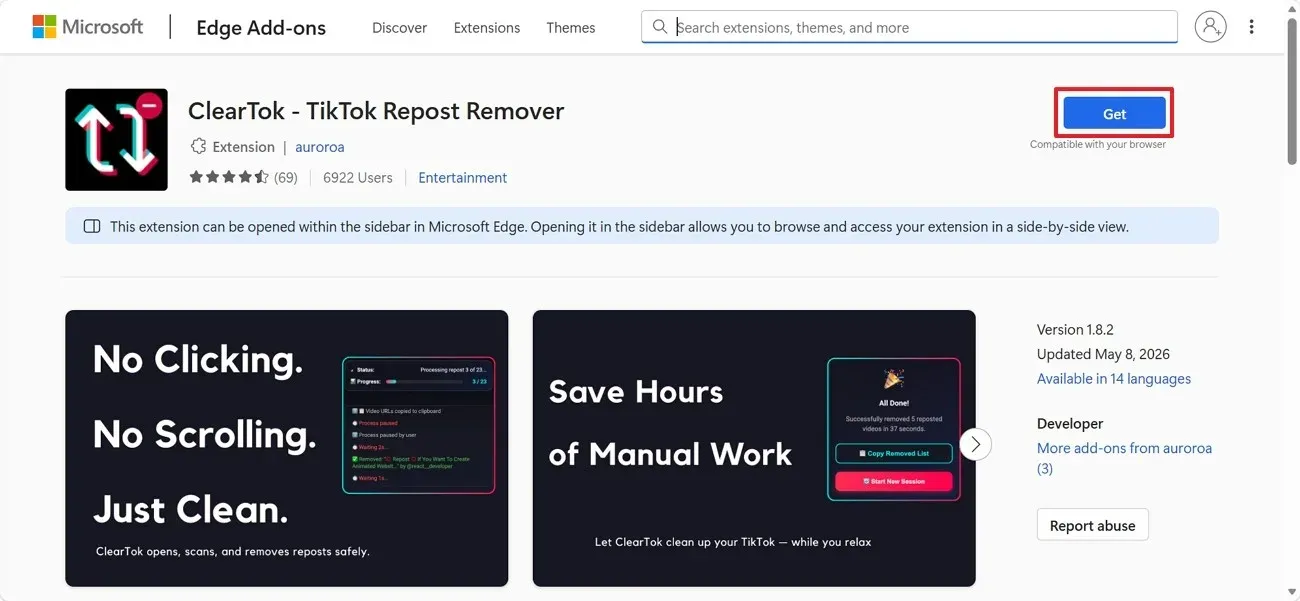
Get ClearTok from Edge Add-ons
The Microsoft Edge Add-ons page opens with ClearTok listed. Click Get beside the extension name.
- 3
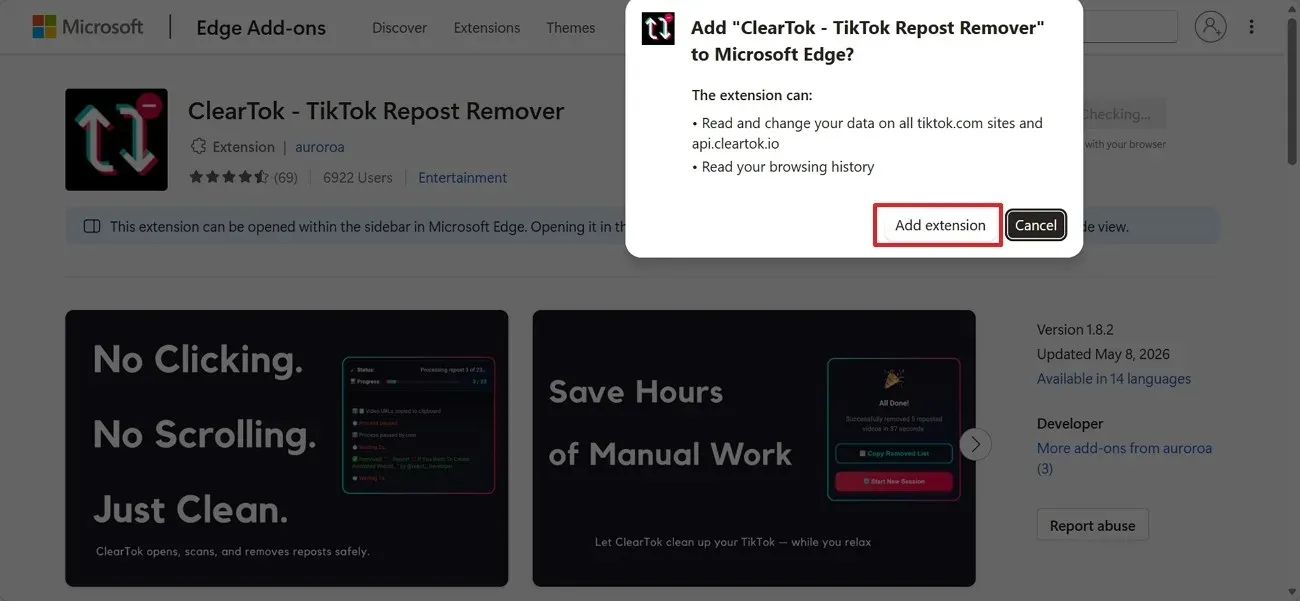
Approve the extension prompt
Edge lists the permissions the extension needs before the install continues. Review them, then click Add extension.
- 4
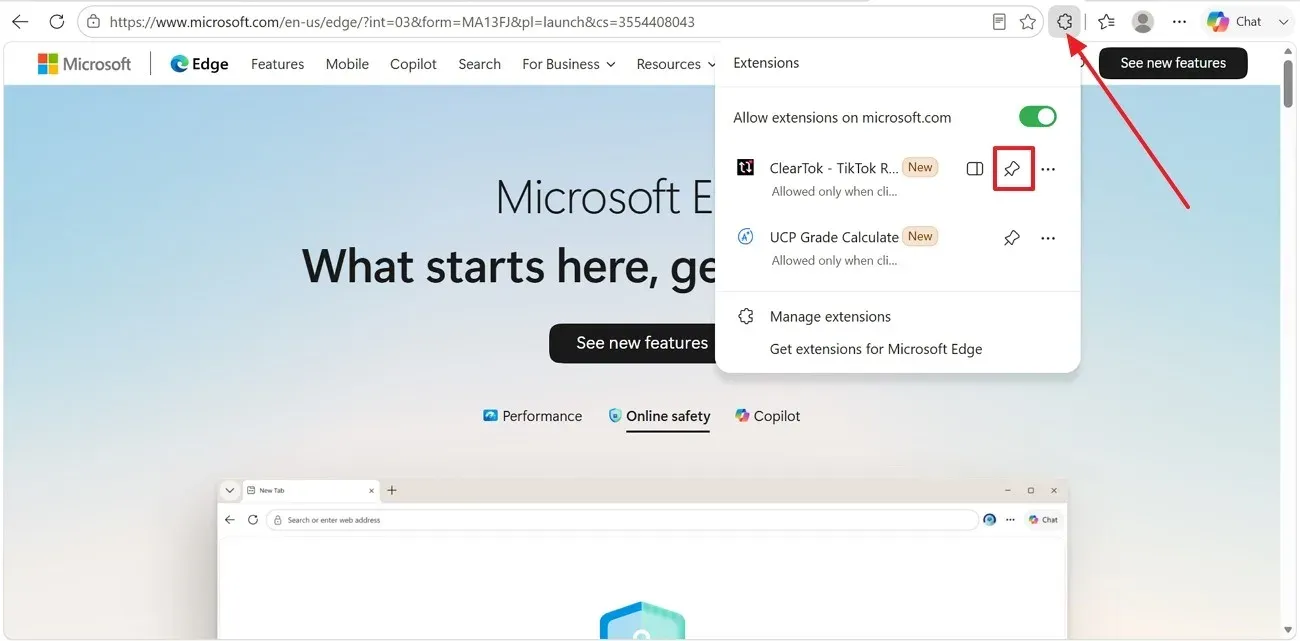
Pin ClearTok from the Extensions menu
After the install finishes, click the Extensions icon near the Edge address bar and pin ClearTok to the toolbar.
Sign in and connect your TikTok session
ClearTok works inside your own signed-in TikTok.com session — you log in on TikTok itself, never inside the extension.
- 1
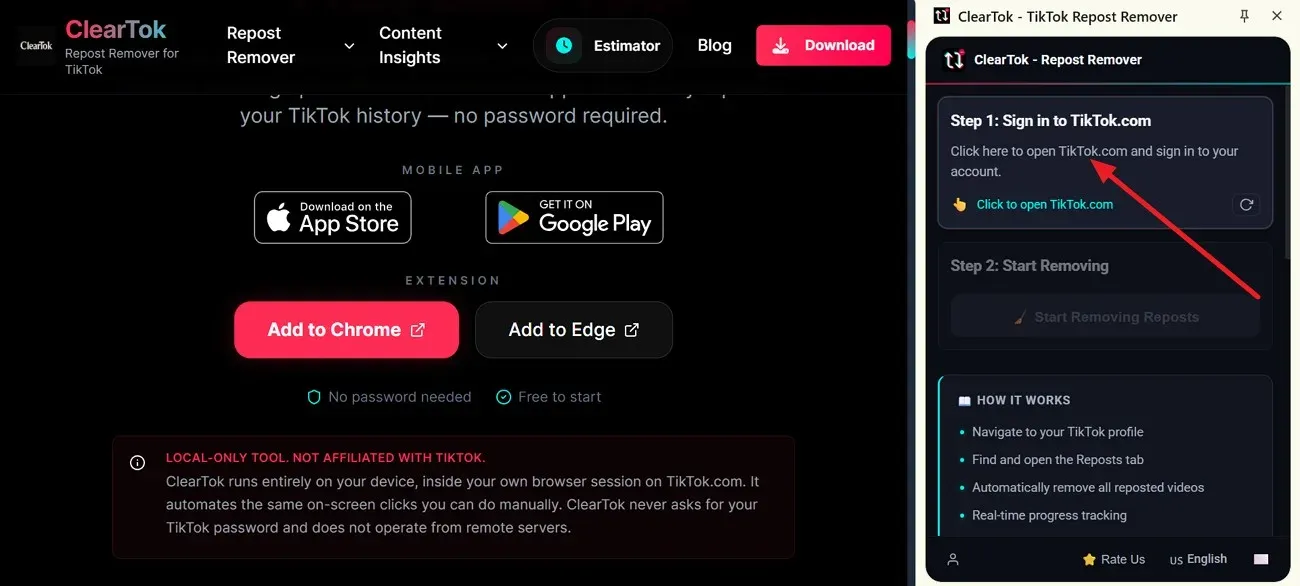
Launch TikTok from ClearTok
Click the ClearTok icon in your Chrome or Edge toolbar, then select “Click to Open TikTok.com” in the extension panel.
- 2
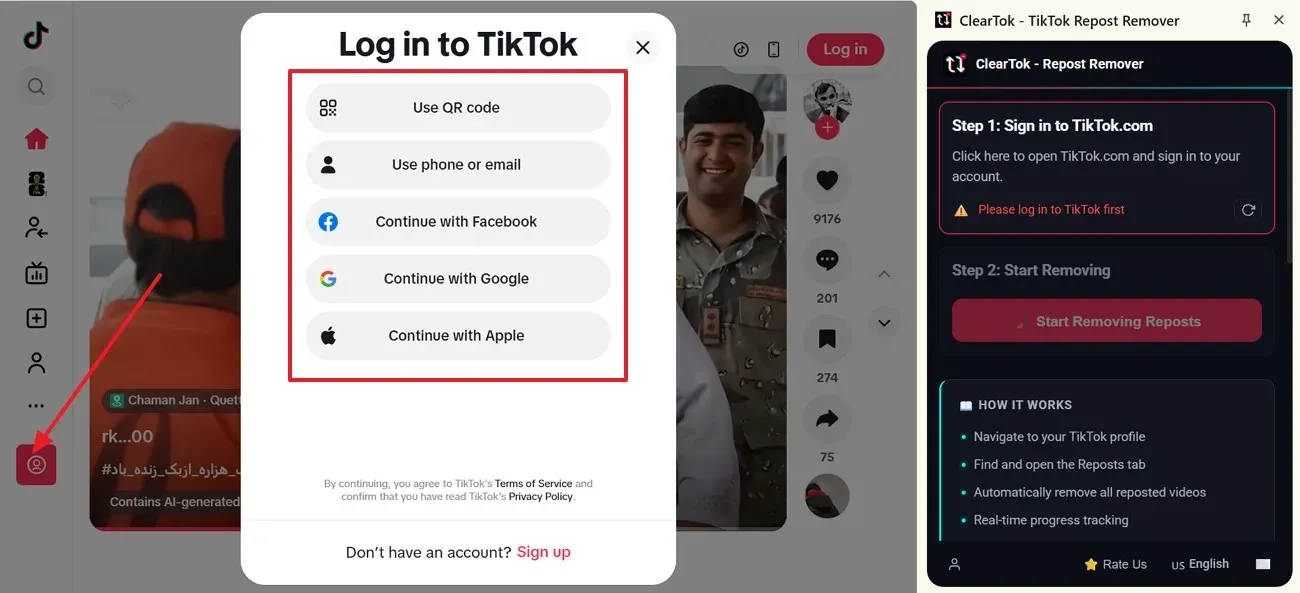
Choose a TikTok login method
TikTok shows its own sign-in options: QR code, phone, email, Facebook, Google, or Apple. Complete the login inside TikTok — ClearTok never sees your password.
- 3
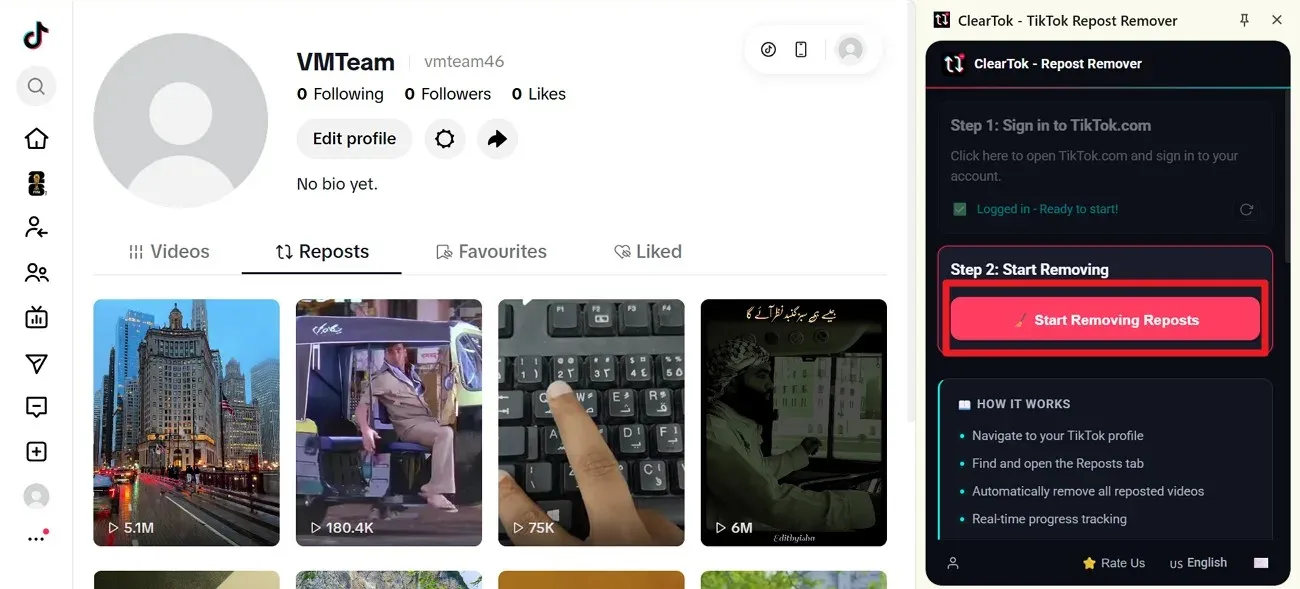
Confirm the session and start
Go to your profile and open the Reposts (↻) tab. When ClearTok detects the session, click Start Removing Reposts in the panel.
- 4
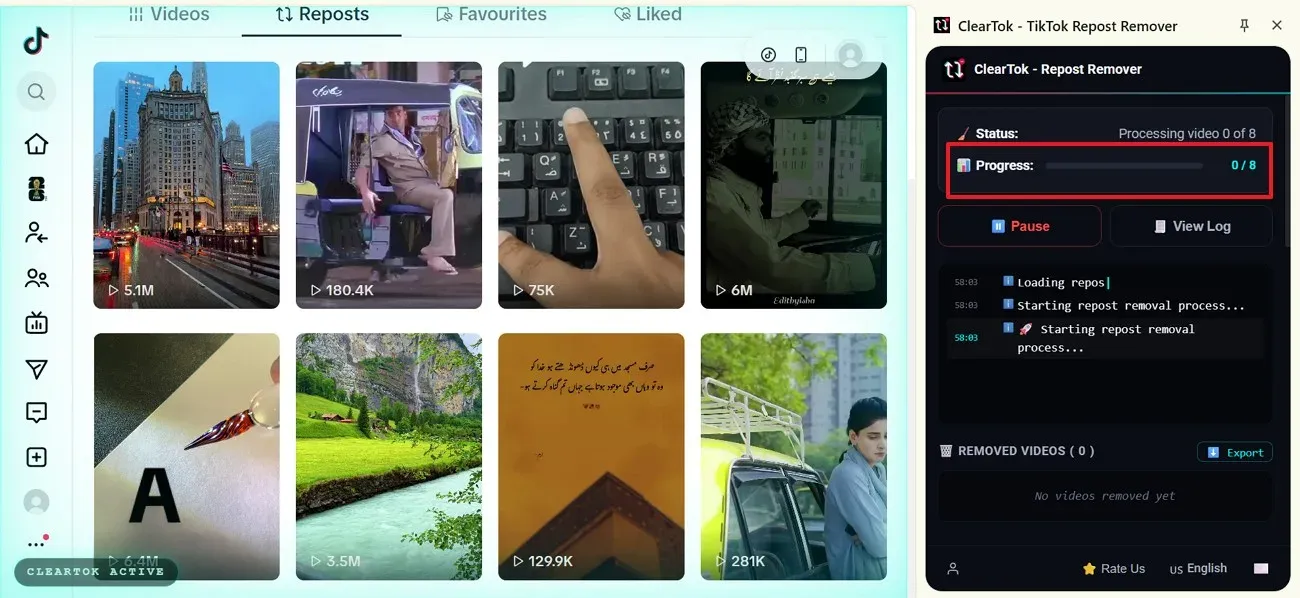
Keep the cleanup window open
ClearTok checks each reposted video and shows live progress. Leave the browser tab open while the status panel updates each removal.
- 5
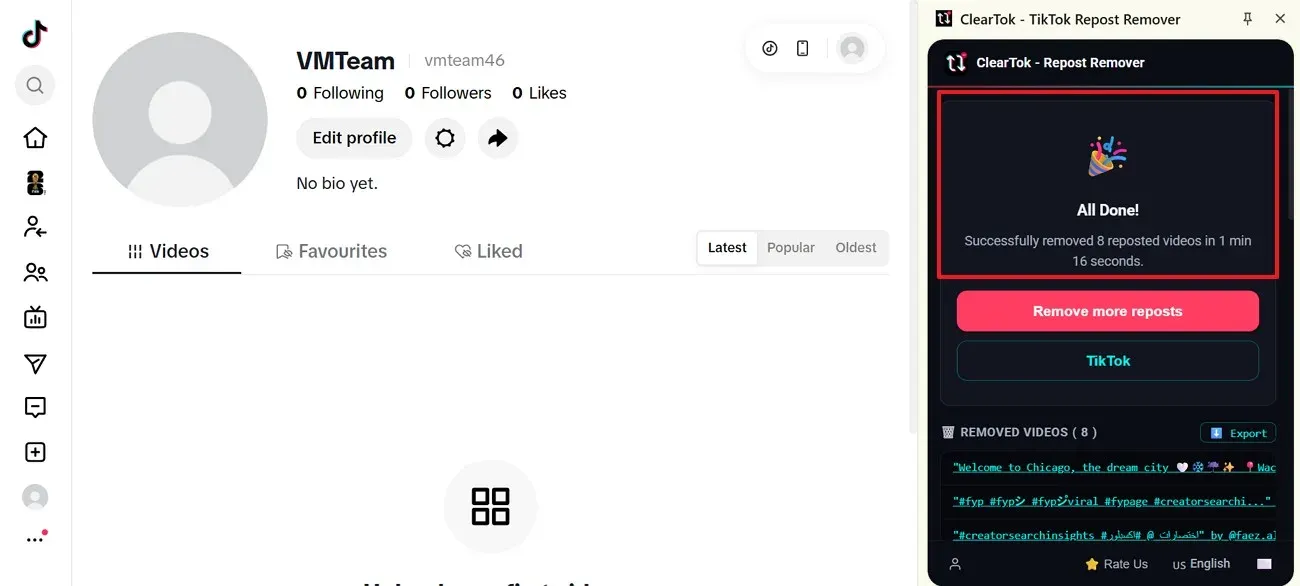
Review the completion screen
When the run finishes, ClearTok shows “All Done” with the removed repost count and the list of cleared URLs you can export.
Why choose a local TikTok repost remover extension?
Many "TikTok cleaner extension" results are cloud apps that want your password. ClearTok is a browser extension that runs only on your machine.
Cloud cleaner apps
- • Require your TikTok username and password
- • Log into your account from foreign IPs (ban risk)
- • Delete in bursts that look like a bot
- • Keep your data on their servers
ClearTok repost remover extension
- • Uses your already-signed-in TikTok session
- • Every click happens on your IP, your device
- • Human-style pacing built in
- • Nothing leaves your browser
Common extension issues and fixes
Most problems come from TikTok loading slowly or browser settings blocking the extension. Work through these fixes before reinstalling.
TikTok cleaner extension and repost remover FAQ
Related guides
Install the TikTok cleaner extension
Use the repost remover extension to clean TikTok reposts in bulk. Free, no password, no ads, and built for Chromium-based browsers on desktop.