
How to See Reposts on TikTok (2026 Edition)
Learn the fastest ways to locate every video you've reposted on TikTok and discover how to view other users' reposts as well.
TL;DR
- Your Reposts tab is the two-arrows icon under your TikTok profile.
- You can view other users' reposts the same way if their account is public.
- If the tab is missing, use the troubleshooting steps below.

How to See Your Reposts (2026)
- Open TikTok.
- Tap Profile.
- Look for the two-arrows icon (↻) under your bio.
- Tap it to see your Reposts tab.

If that space reads "No videos reposted," you have not reposted anything yet.
How to See Someone Else's Reposts
Open their Profile, look for the ↻ icon, and tap. If the icon is missing, they either have no reposts or their account is private.
Heads-up: TikTok does not show a list of who reposted your videos. The only way is to check individual profiles.
Repost Facts to Know
- Visibility: Reposts can appear in followers' feeds like original uploads.
- Credit stays intact: The original creator stays visible.
- Repost to Story: Stories are separate from the Reposts tab.
- One-tap undo: Open the video -> Share -> Remove Repost.
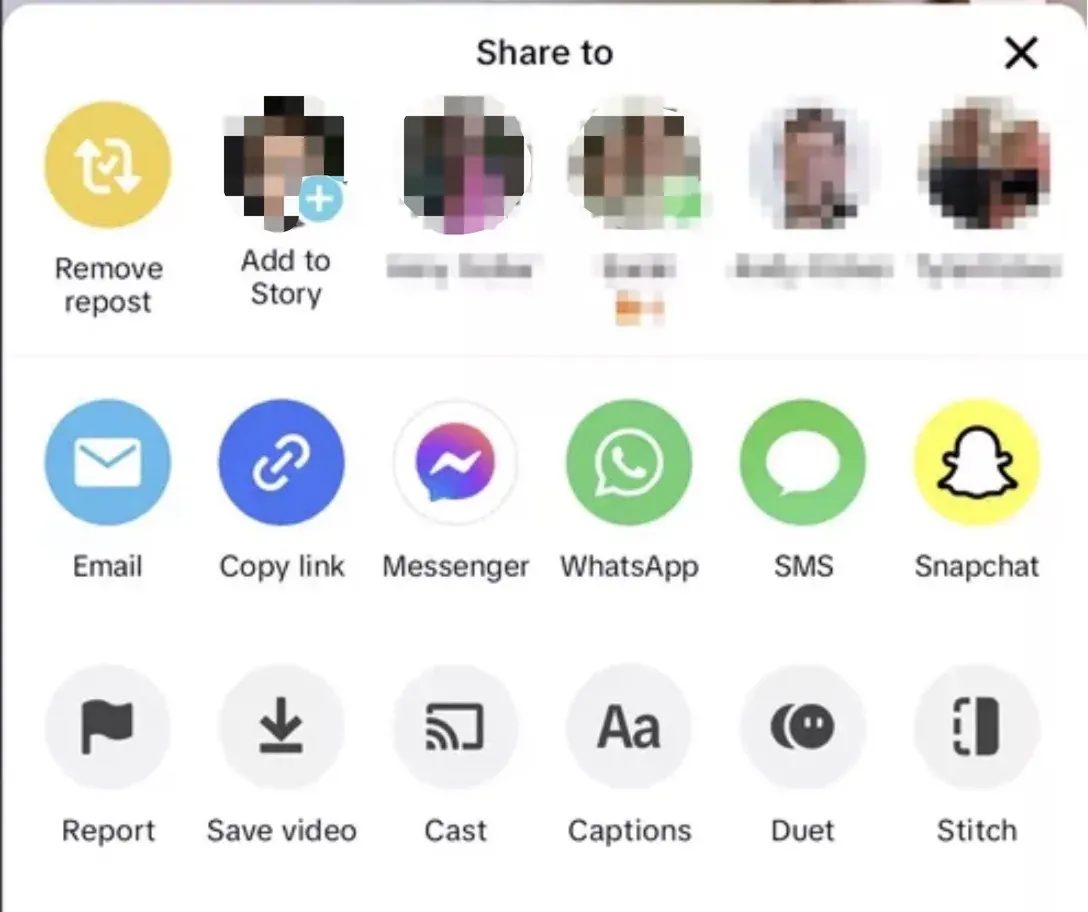
Pro tip: If you have hundreds of reposts to clean, use a desktop browser and a bulk tool like ClearTok to save time.
Troubleshooting: Reposts Tab Missing
If you cannot see the ↻ icon:
- Update TikTok to the latest version.
- Clear app cache: Profile -> Settings & privacy -> Free up space.
- Log out and back in.
- Check Activity Center -> History (some UI tests move reposts there).
- Try tiktok.com on desktop (the tab is often easier to find).
Advanced Clean-Up Workflow
- Export your repost list with ClearTok's CSV feature for record-keeping.
- Tag each link "keep" or "delete" in a spreadsheet.
- Import the "delete" list back into ClearTok and let it run.
FAQ
Does deleting a repost hurt the algorithm?
TikTok removes the signal that you boosted the clip. The original upload remains unchanged.
How often should I audit reposts?
Monthly is a simple cadence for brand or creator accounts.
Key Takeaway
Staying intentional with reposts keeps your profile clean, current, and easy to manage.
Ready to Try ClearTok?
Stop deleting reposts one by one. Get ClearTok and clean up your entire TikTok profile in minutes.