
How to Delete a Repost on TikTok (2026 Edition)
Accidentally shared or changed your mind? Follow these simple steps to remove a repost without affecting the original video.
TL;DR
- Open the repost -> Share -> Remove Repost.
- You can also long-press a repost thumbnail to remove it.
- Removing a repost does not affect the original video.
Method 1: The Classic Share-Button Fix
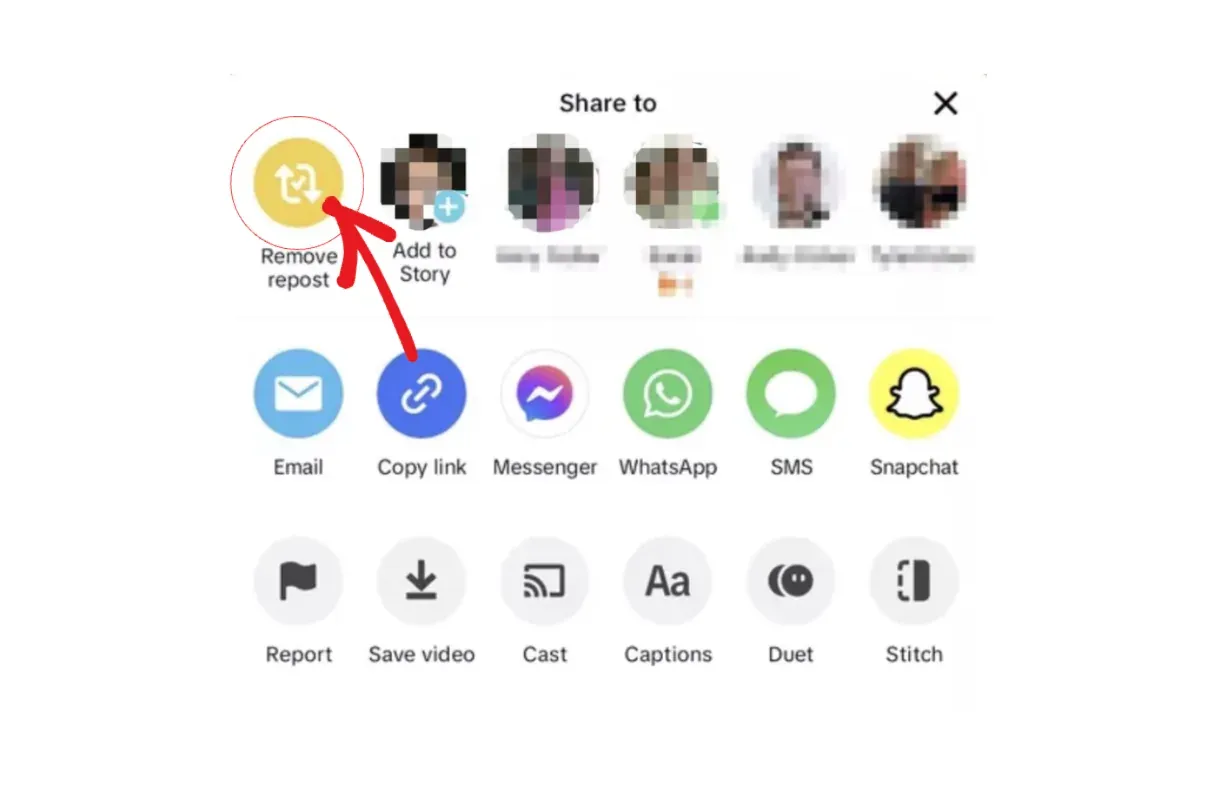
- Open your Reposts tab (↻) on your profile.
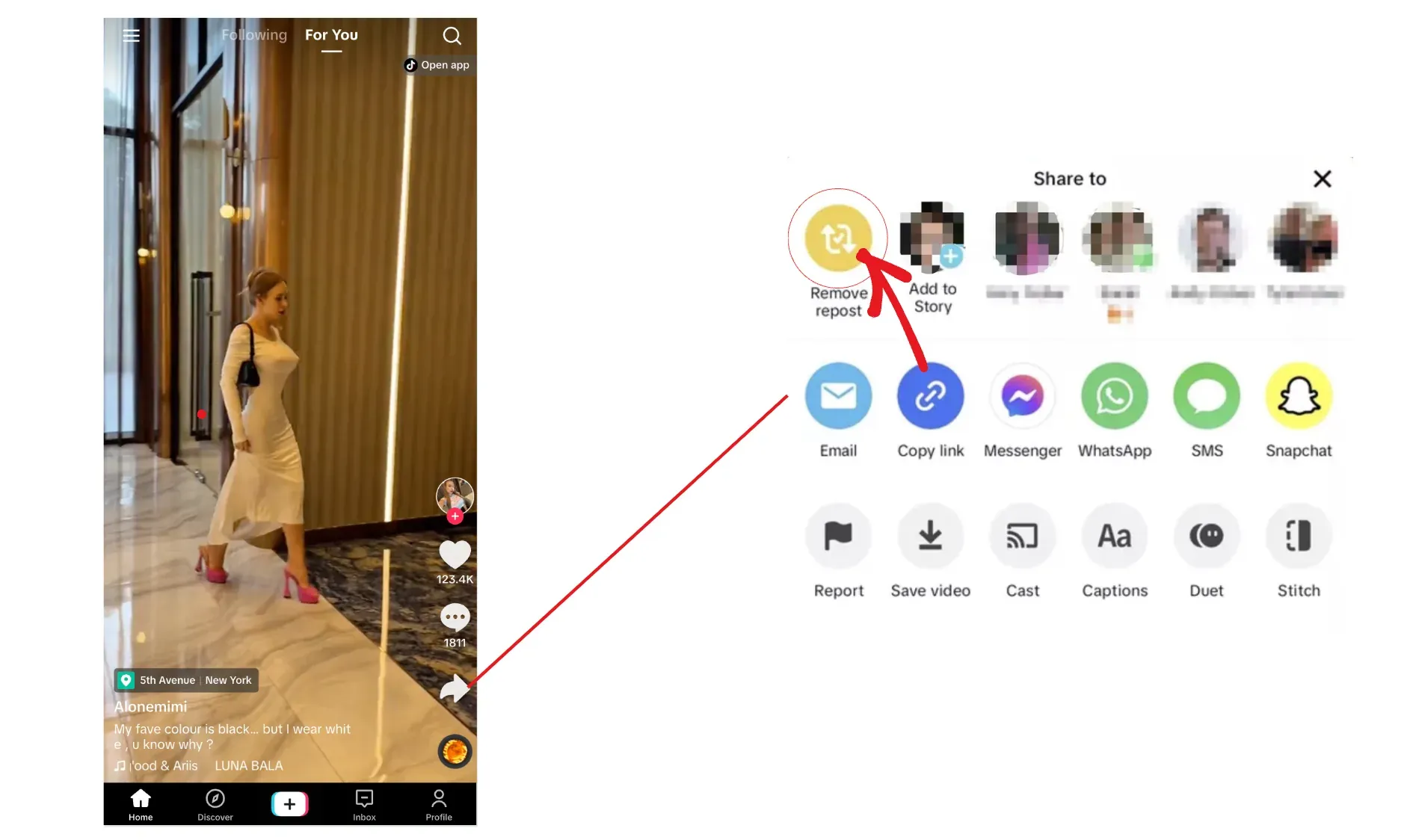
- Tap Share (right-facing arrow).
- Tap Remove Repost.
- A toast appears to confirm removal.
Method 2: Press-and-Hold Ninja Move
Long-press the video thumbnail inside the Reposts tab. A small menu appears with Remove Repost.
What Actually Changes When I Unrepost?
- Followers stop seeing that repost in their feeds.
- Likes/comments tied to your repost disappear.
- The original upload is untouched.
- You can repost it again later.
Why TikTok Still Makes Me Delete One-by-One
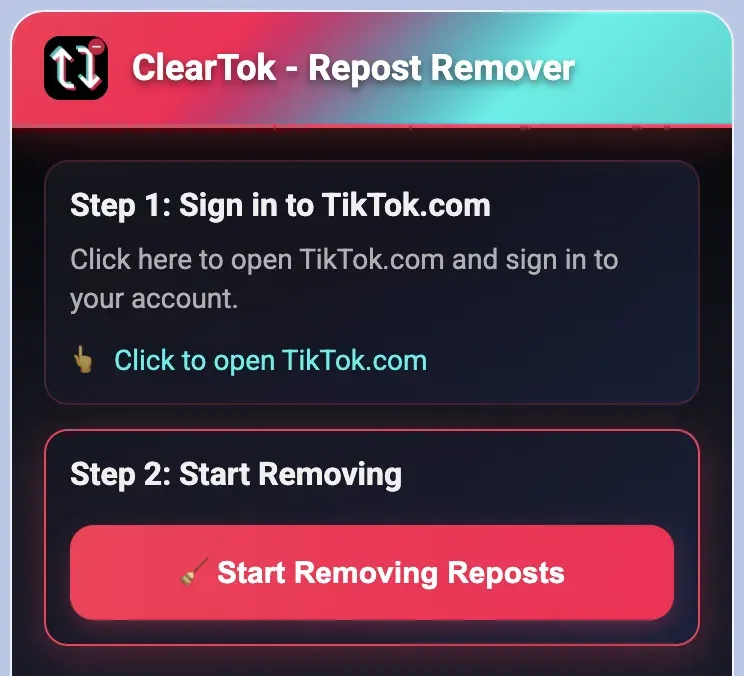
As of 2026 there is still no native "Delete All Reposts" button. If you have dozens to clean up, a desktop tool like ClearTok can remove reposts in batches.
Repost vs. Stitch vs. Duet (Quick Refresher)
- Repost — Boost a video directly to my feed and my followers' FYP.
- Stitch — Clip up to 5 seconds of an existing video into my own.
- Duet — Record my reaction side-by-side with the original.
Common Issues
- Remove Repost button missing: Update the app and try again.
- Reposts tab missing: Check Activity Center -> History or try desktop.
- Changes not showing: Refresh the app; mobile sometimes caches.
Frequently Asked Questions
Q: Will the creator know I removed my repost?
A: Nope. TikTok keeps that silent.
Q: Does unreposting affect the original video's stats?
A: The original still holds all likes, comments, and shares from everyone else—including any your followers left on the original upload.
Q: Can I delete a Story repost the same way?
A: Yes—open the Story reel, tap the three-dot menu, and hit Delete.
Safety & Privacy Considerations
• Stick to the official TikTok app when unreposting—shady modded clients can expose your account.
• Avoid spam-tapping; rapid actions can trigger temporary rate limits (I keep it to ~100 removals per hour).
Beyond Manual: Scaling with Automation
For creators with thousands of reposts, manual removal is a slog. ClearTok uses human-like delays and lets you pause, resume, and export a removal log.
Final Take
Removing a repost takes seconds, and it does not affect the original video. Use the manual steps for a few reposts, and consider a desktop helper if you are cleaning a large backlog.
Final Words
Curating isn't about perfection—it's about authenticity. Keep what reflects you today, archive the rest, and let your TikTok presence evolve confidently.
Ready to Try ClearTok?
Stop deleting reposts one by one. Get ClearTok and clean up your entire TikTok profile in minutes.